Disable Web Results in Windows Search for a Better Experience!

How to Disable Web Results in Windows Search for a Better Experience

Introduction to Windows Search Windows Search is a powerful tool that allows you to quickly find files, folders, and applications on your computer. However, the default search settings may not provide the best experience for everyone. In this tutorial, we will show you how to disable web results in Windows Search to improve your overall search experience. What are Web Results in Windows Search? Web results in Windows Search refer to the online search results that are displayed along with the local search results on your computer. When you search for something in the Windows Search bar, it not only searches your local files and folders but also sends a query to Microsoft’s Bing search engine to retrieve relevant web results. While this feature can be useful for some users, it may not be desirable for others who prefer to keep their search results local. ...
May 20, 2026
How to Enable the Secret God Mode in Windows

How to Enable the Secret God Mode in Windows for Easy System Management

Introduction to God Mode in Windows God Mode is a hidden feature in Windows that allows users to access all Control Panel settings from a single folder. This can be particularly useful for power users who frequently need to adjust system settings. In this guide, we will walk you through the steps to enable God Mode in Windows. What is God Mode? God Mode, also known as Windows Master Control Panel, is a folder that contains shortcuts to all Control Panel settings. This allows users to easily access and manage system settings without having to navigate through multiple menus. ...

May 19, 2026
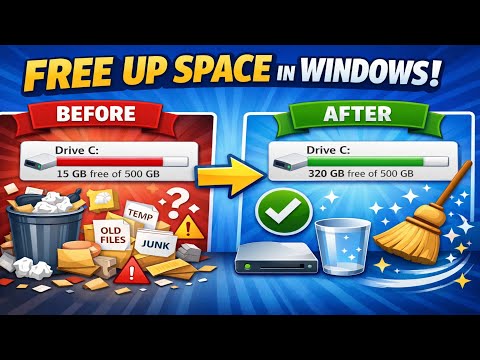
How to FREE UP SPACE in Windows 11/10 (Faster PC Performance!) 2026

How to Free Up Space in Windows 11/10 for Faster PC Performance

Introduction to Freeing Up Space in Windows 11/10 Are you tired of your Windows 11 or 10 PC running slowly due to low disk space? Freeing up space on your computer can significantly improve its performance, making it faster and more efficient. In this guide, we will walk you through the steps to free up space in Windows 11/10 and enjoy a faster PC experience. Understanding the Importance of Freeing Up Space Before we dive into the steps, it’s essential to understand why freeing up space is crucial for your PC’s performance. When your disk space is low, your computer may take longer to start up, programs may launch slowly, and you may even experience crashes or freezes. By freeing up space, you can: ...

May 18, 2026
How to Disable All Ads Instantly in Windows! (2026)

How to Instantly Disable All Ads in Windows 2026 for a Cleaner Experience

Introduction to Disabling Ads in Windows Disabling ads in Windows can significantly enhance your computing experience by reducing distractions and improving overall system performance. This guide is designed to walk you through the process of disabling ads in Windows instantly. Understanding Windows Ads Windows, like many other operating systems, includes advertisements in various forms, such as notifications, start menu suggestions, and lock screen ads. These are intended to provide you with useful recommendations and offers. However, many users find them intrusive and prefer a cleaner, ad-free interface. ...

May 17, 2026
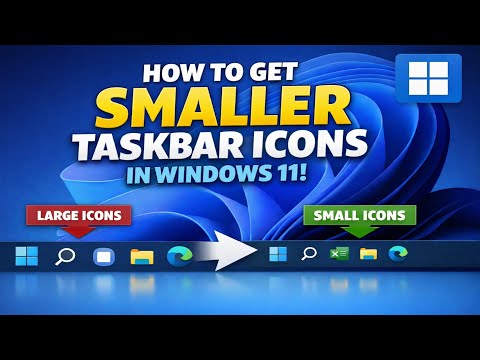
How to Make Taskbar Icons Smaller in Windows

How to Make Taskbar Icons Smaller in Windows for a More Efficient Desktop

Introduction to Taskbar Icons The taskbar is an essential component of the Windows operating system, providing quick access to frequently used applications and system functions. By default, the taskbar icons in Windows are set to a standard size, which may not be suitable for everyone, especially those with limited screen space or a preference for a more compact interface. Why Make Taskbar Icons Smaller? Making taskbar icons smaller can have several benefits. For one, it allows for more icons to be displayed on the taskbar, which can be useful for users who have many applications open at the same time. Additionally, smaller icons can help to reduce clutter on the taskbar, making it easier to navigate and find the icons you need. This can be particularly beneficial for users with smaller screens or those who prefer a more minimalist desktop environment. ...

May 16, 2026
This Windows Tool Made My PC Run Like New Again!

How to Make Your Old PC Run Like New with Built-in Windows Tools

Introduction to Windows Tools As we continue to use our computers over time, they inevitably slow down. This can be due to a variety of reasons such as disk space depletion, software bloat, and fragmented files. However, there’s a powerful Windows tool that can help restore your computer to its former glory. What is the Tool? The tool in question is the built-in Windows Disk Cleanup and Defragmentation tool, along with the System Configuration tool. These tools work in tandem to help free up disk space and streamline system performance. ...

May 15, 2026
Microsoft Finally Lets You Skip Windows 11 Setup Updates

How to Skip Windows 11 Setup Updates for a Faster and More Customizable Installation

Introduction to Windows 11 Setup Updates Microsoft has made a significant change to its Windows 11 operating system by allowing users to skip setup updates. This move is expected to enhance the overall user experience, providing more flexibility and control over the update process. What are Windows 11 Setup Updates? Windows 11 setup updates are a series of updates that run during the initial setup of the operating system. These updates are designed to ensure that the system is up-to-date with the latest security patches, drivers, and features. However, they can sometimes cause delays or issues during the setup process. ...

May 14, 2026
Stop Your SSD From Slowing Down (Do This Now)

How to Stop Your SSD From Slowing Down and Maintain Peak Performance

Stop Your SSD From Slowing Down (Do This Now) As a computer user, you’re likely no stranger to the incredible speed and performance that solid-state drives (SSDs) offer. However, over time, you may have noticed that your SSD doesn’t seem to be performing as well as it used to. This slowdown can be frustrating, especially if you rely on your computer for work, gaming, or other high-performance activities. What Causes SSD Slowdown? Before we dive into the solutions, it’s essential to understand what causes SSD slowdown in the first place. Here are some common reasons: ...

May 12, 2026
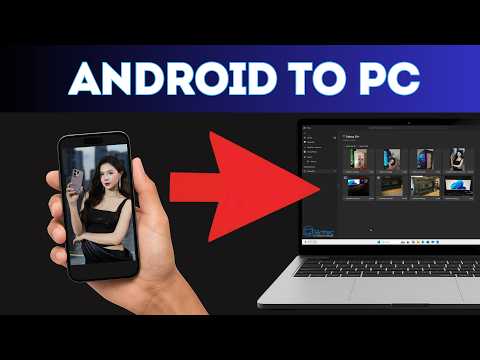
How to Transfer Photos from Android to Laptop (2 Easy Methods)

How to Transfer Photos from Android to Laptop: 2 Easy Methods

Introduction to Transferring Photos from Android to Laptop Transferring photos from your Android device to your laptop can be a straightforward process if you know the right methods. In this guide, we will explore two easy methods to transfer your photos from Android to laptop, ensuring that you can easily access and manage your photos across devices. Method 1: Using a USB Cable One of the simplest ways to transfer photos from your Android device to your laptop is by using a USB cable. Here’s how you can do it: ...

May 11, 2026