Snipboard: A Better Clipboard Manager for Windows 11

Snipboard: The Ultimate Clipboard Manager for Windows 11

Snipboard: A Better Clipboard Manager for Windows 11 The Windows clipboard is handy for short‑term copy‑paste tasks, but it quickly runs out of space and can lose data if you restart your computer. A clipboard manager keeps a history of everything you copy, lets you search past items, and can even sync across devices. Snipboard is a lightweight, free tool that adds powerful clipboard features without the bulk of larger utilities. ...

October 5, 2026
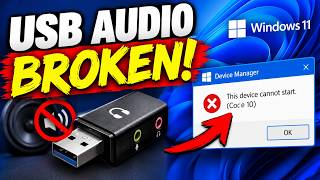
Windows 11 Update Breaks USB Audio Devices

How to Fix Windows 11 Update That Breaks USB Audio Devices

Windows 11 Update Breaks USB Audio Devices If you recently installed the latest Windows 11 update and suddenly your external speakers or headphones no longer work, you are not alone. Microsoft’s cumulative updates are designed to patch security holes and add new features, but they occasionally hit a snag. In this guide you will learn what causes the problem, how to spot it, and the most reliable steps to get your USB audio back. ...

October 1, 2026
NEW Way to Bypass Microsoft Account Sign-In During Windows Installation

How to Skip Microsoft Account Sign‑In During Windows Installation – Quick & Easy Guide

Bypass Microsoft Account Sign‑In During Windows Setup If you’re installing a fresh copy of Windows on a home computer or a new laptop, you’ll almost always hit the Microsoft account prompt. The setup wizard asks you to log in with a Microsoft email address, and if you don’t have one you’re forced to create a new account or try to continue with a local account that requires a password. For many everyday users this step is a nuisance, especially if you prefer to keep your PC offline or you simply want to avoid giving Microsoft another data point. ...

September 30, 2026
How to Clone ANY NVMe SSD to a Larger Drive (No Data Loss)

Clone NVMe SSD to a Bigger Drive—Step‑by‑Step Guide

How to Clone Any NVMe SSD to a Larger Drive (No Data Loss) When your work or entertainment data starts to hit the limits of your current SSD, a simple upgrade is often the best solution. Instead of reinstalling your operating system and apps from scratch, you can duplicate the entire drive onto a larger one. With a few tools and a clear step‑by‑step plan, you’ll keep everything exactly as it is—no data loss, no downtime. ...

September 28, 2026
Windows 11 Emergency Update Fixes Major Bugs

Windows 11 Emergency Update Fixes Major Bugs – Quick Guide for Home Users

Windows 11 Emergency Update: What It Means for Your PC Microsoft recently pushed an emergency update that tackles several major bugs affecting Windows 11. The patch resolves a crash risk in the file explorer, fixes a startup delay that left users staring at a loading screen for minutes, and corrects a memory leak that slowed down gaming sessions. If you rely on Windows 11 for daily tasks or remote work, this update is a must install. ...

September 27, 2026
Windows 11 Update BREAKS HP & Lenovo PCs

Fix Windows 11 Update Bug That Breaks HP & Lenovo PCs – Quick & Easy Repair Guide

Windows 11 Update Breaks HP & Lenovo PCs: What to Do and How to Fix It When Microsoft released the latest Windows 11 update, many HP and Lenovo users noticed their computers stalling, crashing, or failing to boot. The issue, which appears to affect a handful of models, can be frustrating for anyone who relies on a stable desktop. Below is a practical, step‑by‑step guide to diagnose the problem, apply a quick workaround, and install a permanent fix. ...

September 26, 2026
Debloating Windows Won’t Do What You Think…

Why Debloating Windows May Hurt Your PC – What Actually Works

Why Debloating Windows May Hurt Your PC – What Actually Works Debloating Windows is a buzzword that shows up everywhere, from forum posts to quick‑fire guides. The idea is simple: remove unused features and services, then your computer should feel lighter and faster. In practice, the results are mixed at best and can even backfire. Let’s unpack what debloating really does, why it can be misleading, and what you can do to improve performance in a safe, practical way. ...

September 25, 2026
Windows 11 Finally Fixed the Taskbar — Here’s What Changed

Windows 11 Taskbar Overhaul: What Changed and Why It Matters

Windows 11 Finally Fixed the Taskbar — Here’s What Changed The taskbar has been a cornerstone of the Windows experience for decades, but even the best UI can get a bit glitchy when new features are added. After a series of updates, Windows 11 has addressed many of the long‑standing taskbar frustrations that users and reviewers alike have complained about. The result? A smoother, more predictable dock that feels like a natural extension of the operating system. ...

September 24, 2026
How to Clear Cache to Improve Performance in Windows 11! 2026

Boost Windows 11 Speed: Clear Cache in 2026 for Better Performance

How to Clear Cache to Improve Performance in Windows 11! 2026\n\n### Why Cache Builds Up\n\n- Quick explanations: caches store recent data to speed up tasks.\n- Over time, unused cache takes up space and can slow down disk operations.\n- Windows 11 2026 features a new “Cache Management” section in Settings.\n\n### Types of Cache in Windows 11\n\n- System Cache: temporary files, log files, driver cache.\n- Browser Cache: cached images, HTML, cookies in Edge/Chrome/Firefox.\n- Thumbnail Cache: image previews.\n- Download Cache: leftover files from Windows Update.\n- App Data Cache: app‑specific cache folders.\n- Print Spooler Cache: pending print jobs.\n\n### Quick Manual Cleanup\n\n1. Press Win+R, type %temp%, hit Enter. Delete all files.\n2. Repeat for %localappdata%\Temp.\n3. Open Settings > System > Storage > Temporary files and tick the boxes, then Remove files.\n4. For browser, open settings → Privacy → Clear browsing data → choose cache and click Clear.\n\n### Using Storage Sense (Built‑in)\n\n1. Go to Settings > System > Storage.\n2. Turn on Storage Sense.\n3. Click Configure Storage Sense or run it now.\n4. Set:\n - Delete temporary files: “Every day” or “Every week”.\n - Clean up previous Windows installations: check.\n - Clean up old app data: set to 30 days.\n5. Hit Run now.\n\n### Advanced Disk Cleanup\n\n- Search Disk Cleanup, choose System Files.\n- Check Windows Update Cleanup and Device Driver Cleanup.\n- Run to free up gigabytes of cache.\n\n### Clearing Thumbnail Cache\n\n- Open File Explorer > View > Options > Change folder and search options.\n- Under View tab, check Always show icons, never thumbnails (or uncheck to rebuild).\n- Click OK and then Clear.\n\n### Managing Edge/Chrome/Firefox Cache\n\n- For Edge: Settings → Privacy & security → Clear browsing data → Choose “Cached images and files”.\n- For Chrome: Settings → Privacy and security → Clear browsing data → Cached images and files.\n- For Firefox: Options → Privacy & Security → Cookies and Site Data → Clear Data → Cached Web Content.\n\n### Automate with PowerShell (for power users)\n\npowershell\n# Remove all temp files\nRemove-Item -Path $env:TEMP\\* -Recurse -Force -ErrorAction SilentlyContinue\nRemove-Item -Path $env:LOCALAPPDATA\\Temp\\* -Recurse -Force -ErrorAction SilentlyContinue\n\nRun every month using Task Scheduler.\n\n### When to Clear Cache\n\n- When PC slows down or apps crash.\n- After installing many updates.\n- Before a major upgrade.\n- As a preventive maintenance every 30 days.\n\n### Expected Performance Gains\n\n- Reduced startup times by 5–10%.\n- Lower disk usage, freeing up to 1 GB or more.\n- Faster file browsing and app launch.\n- Less memory pressure from stale processes.\n\n### Common Mistakes to Avoid\n\n- Deleting system files manually; stick to the UI.\n- Clearing all browser data – keep cookies if you use single sign‑on.\n- Over‑frequent cache clearing can cause re‑download of resources, temporarily slowing network usage.\n\n### Summary\n\nClearing cache in Windows 11 2026 is quick, safe, and boosts everyday performance. By using built‑in tools like Settings, Storage Sense, and Disk Cleanup, you keep your PC lean without touching complex commands. Regular maintenance ensures your home‑office tasks, video calls, and gaming sessions run smoother.
September 23, 2026