Create QR Codes in Seconds for FREE

Generate QR Codes in Seconds—Free and Easy Guide

Create QR Codes in Seconds for FREE QR codes have become a quick‑finger bridge between the digital and the physical world. From sharing a Wi‑Fi password at a party to embedding a short URL on a business card, a QR code turns a handful of taps into instant access. The good news? You don’t need to install software or pay for a license. With a handful of free online generators, anyone can produce a custom QR code in less than a minute. ...

September 18, 2026
5 Free Software You Should Have on Your PC! 2026

Top 5 Free Software You Need on Your PC in 2026

5 Free Software You Should Have on Your PC in 2026 When you set up a new computer or refresh an old one, a handful of free tools can transform the way you work, create, and stay organized. Below are five essential programs that are completely free, actively maintained, and work with Windows, macOS, or Linux. They cover office productivity, image editing, file compression, code editing, and media playback—everything you need for everyday tasks. ...

September 17, 2026
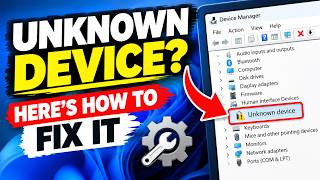
Unknown Device? Here's How to Fix It

Quick Fix for Unknown Device on Windows – Easy Driver Solutions

Unknown Device? Quick Fix Guide Why It Happens When you plug a new piece of hardware into your PC—like a mouse, printer, or USB stick—Windows may show a yellow exclamation point or list the item as “Unknown Device”. It means the operating system cannot match the hardware to a driver. This is normal for brand‑new or rarely used devices. Common Causes Driver not installed or outdated Device uses a USB‑3.0 controller that older PCs don’t recognize BIOS/UEFI missing the firmware for the component Malware has corrupted driver files A faulty cable or port Step‑by‑Step Fixes Open Device Manager ...

September 16, 2026
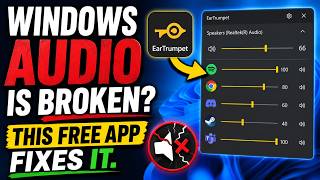
Windows Audio is Broken? This Free App Fixes It.

Fix Windows Audio Problems Quickly with This Free App

Windows Audio Is Broken? This Free App Fixes It What Is Happening? Many of us have experienced that sudden silence or distorted sound from a Windows laptop or desktop. Whether it shows up during a video call, while listening to music, or when a game starts, the frustration is real. Why Does Windows Audio Break? Windows audio can stumble for a variety of reasons: The core audio service may stop unexpectedly. A driver becomes corrupted or outdated. System updates overwrite or misconfigure audio settings. Conflicting third‑party audio utilities clash with the built‑in system. Even a simple file‑system error can prevent the audio engine from loading. Because the Windows sound stack is complex, troubleshooting each possibility can be tedious. ...

September 15, 2026
How to Change Windows 11 Mouse Pointer Color, Size & Style

Easily Customize Windows 11 Mouse Pointer: Color, Size, and Style Guide

How to Change Windows 11 Mouse Pointer Color, Size & Style Why customize your pointer? Your mouse pointer is the first thing you see when you use Windows. If it’s too small, too bright, or just not to your taste, it can slow you down or make the screen feel cluttered. Whether you need a larger pointer for accessibility, a brighter color for better visibility, or a different style to match your desktop theme, Windows 11 offers simple ways to tweak these settings without installing extra software. ...

September 14, 2026
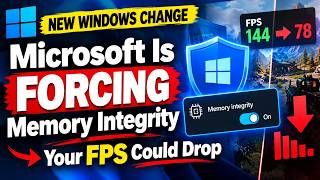
Microsoft Is FORCING This Setting — Your FPS Could Drop

Microsoft’s Hidden FPS Killer (and How to Fix It)

Microsoft’s Hidden FPS Killer (and How to Fix It) If you’ve noticed your computer suddenly dropping frames while you’re gaming, there might be a quiet culprit hiding in the Windows settings. Microsoft’s default “Background recording” feature is on by default, and it can silently eat CPU resources—especially on laptops and lower‑end PCs. In this post we’ll explain exactly what that setting does, why it hurts your FPS, and how you can disable it quickly. ...

September 13, 2026
How to Setup Windows 11 The Easy Way

Easy Windows 11 Setup Guide: Install in Minutes for Beginners

How to Set Up Windows 11 the Easy Way Windows 11 brings a fresh look and new features, but the installation process can feel daunting if you’re not sure where to start. This guide walks you through every step—no jargon, no hidden steps—so you can get Windows 11 running smoothly on your PC in minutes. Prerequisites Before you dive in, double‑check these simple items: Compatible hardware – your PC must meet Microsoft’s Windows 11 minimum specs: 64‑bit CPU, 4 GB RAM, 64 GB storage, UEFI firmware with Secure Boot, and TPM 2.0. Active internet connection – you’ll need it for downloads, driver updates, and activation. USB flash drive (8 GB or larger) – this will hold the installation files. Current Windows backup – if you’re upgrading, make sure you back up important files. Step 1: Create Windows 11 Installation Media On a working PC, open a web browser and go to the official Microsoft Download Center. Search for Windows 11 download and click the “Download now” button for the ISO file. Once the ISO is downloaded, launch the Windows USB/DVD Download Tool or use Rufus (free, lightweight). If you don’t have Rufus, download it from the official site. In Rufus: Select your USB drive. Under “Boot selection,” choose the Windows 11 ISO. Leave the other options at their defaults and click Start. Rufus will warn you that all data on the USB will be destroyed; confirm and wait for the process to finish. Step 2: Backup Your Data If you’re installing on an existing Windows installation, copy your documents, pictures, and other essential files to an external drive or cloud service. A quick way to do this on Windows 10/11 is: ...
September 12, 2026
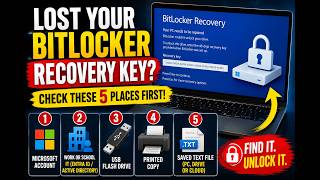
Lost Your BitLocker Recovery Key? Try These 5 Secret Locations!

5 Secret Locations to Find Your Lost BitLocker Recovery Key

Lost Your BitLocker Recovery Key? Try These 5 Secret Locations! If you’re a Windows user who enabled BitLocker for extra security, you might have saved the recovery key to a USB stick or a printed sheet. But what if you misplace that key? Panic can set in quickly, especially if a computer is locked and you need to recover data. The good news is that Microsoft provides a few built‑in ways to locate your key, and a few common places you may have saved it unknowingly. This post walks you through five practical spots to check before you give up. ...

September 11, 2026
When Windows Update Refuses to Install... Do This! (Easy Fix)

Easy Fix: How to Resolve Windows Update Install Failures

When Windows Update Refuses to Install… Do This! (Easy Fix) Windows Update is the lifeline that keeps your PC safe, fast, and full of fresh features. Yet, all too often, the update wizard stalls, flashes a cryptic error, or simply won’t install. If you’re staring at an error message or a stalled progress bar, don’t panic—there are a handful of practical steps that usually get things back on track. 1. Let Windows Do Its Own Reset Why it matters: The Windows Update service can get stuck if it’s running in a half‑finished state. Resetting the service clears the backlog and gives the system a clean slate. ...

September 10, 2026