5 Essential Security Steps for Your New PC

5 Essential Security Steps to Protect Your New PC

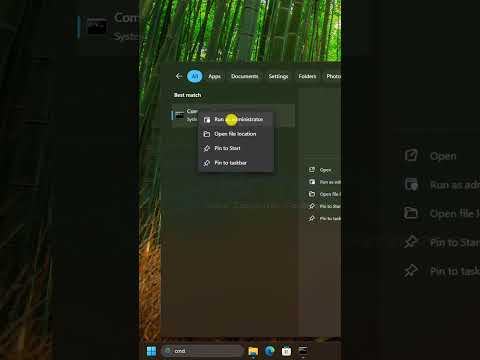
Introduction to PC Security When you first set up your new PC, it’s essential to take steps to secure it from potential threats. Cybersecurity is a critical aspect of owning a computer, and there are several measures you can take to protect your device and your personal data. In this article, we’ll explore five essential security steps for your new PC. Step 1: Install Antivirus Software Antivirus software is a crucial component of PC security. It scans your computer for malware, viruses, and other types of malicious software, and helps to remove or quarantine any threats it detects. There are many different antivirus programs available, both free and paid. Some popular options include Norton, McAfee, and AVG. ...
July 3, 2026
5 Free Windows Diagnostic Apps You Should Have on Your PC! 2026

5 Free Windows Diagnostic Apps to Boost Your PC's Performance

Introduction to Windows Diagnostic Apps As a Windows user, you’re probably aware of the many built-in diagnostic tools that come with the operating system. However, there are also many free third-party diagnostic apps available that can help you troubleshoot and fix common issues with your PC. In this post, we’ll take a look at five free Windows diagnostic apps that you should have on your PC in 2026. Why Use Diagnostic Apps? Diagnostic apps can help you identify and fix problems with your PC, such as slow performance, crashes, and errors. They can also help you monitor your system’s hardware and software components, detect potential issues before they become major problems, and provide you with detailed reports and recommendations for improvement. ...

July 2, 2026
Change these 5 Windows Settings that Secretly Slow Down Your PC!

5 Simple Windows Setting Changes to Boost PC Performance

Introduction to Optimizing Windows Settings Are you tired of a slow PC? You’re not alone. Many of us have experienced the frustration of a computer that takes ages to start up, launch applications, or perform even the simplest tasks. While hardware upgrades can certainly help, there are often simpler and less expensive solutions. One of the most effective ways to boost your PC’s performance is by tweaking its Windows settings. In this guide, we’ll explore five key Windows settings that might be secretly slowing down your PC and show you how to change them. ...

July 1, 2026
6 Free Programs We Can't Live Without!

6 Essential Free Programs for Everyday Computer Users

Introduction to Free Programs In today’s digital age, it’s easy to get caught up in the idea that you need to spend a lot of money to get the best software. However, there are many free programs available that can help you with a variety of tasks, from productivity and creativity to security and entertainment. What are Free Programs? Free programs are software applications that are available for download and use at no cost. They can be just as powerful and feature-rich as paid software, but without the hefty price tag. ...

June 30, 2026
8 Free Microsoft Store Apps that Make Windows Better! 2026

8 Free Microsoft Store Apps to Supercharge Your Windows Experience in 2026

Introduction to Enhancing Windows with Microsoft Store Apps Windows is an incredibly versatile operating system, offering a wide range of functionalities to cater to different user needs. One of the key features that enhance the Windows experience is the Microsoft Store, which hosts a plethora of apps designed to improve productivity, entertainment, and overall user experience. In this article, we’ll explore 8 free Microsoft Store apps that can make your Windows better, focusing on how these apps can enhance your daily computing activities. ...

June 29, 2026
Don’t Lose Your Drivers! 😱 Backup Now

Backup Your Drivers Now: A Step-by-Step Guide

Don’t Lose Your Drivers! Backup Now Introduction to Driver Backup Losing your drivers can be a frustrating experience, especially if you rely on your computer for work or daily activities. Drivers are essential software components that allow your operating system to communicate with hardware devices. Without them, your devices may not function properly, leading to decreased productivity and increased stress. In this article, we will discuss the importance of backing up your drivers and provide a step-by-step guide on how to do it. ...

June 28, 2026
The Windows Era is Over and Microsoft Knows It

Beyond Windows: How Microsoft is Redefining the Future of Technology

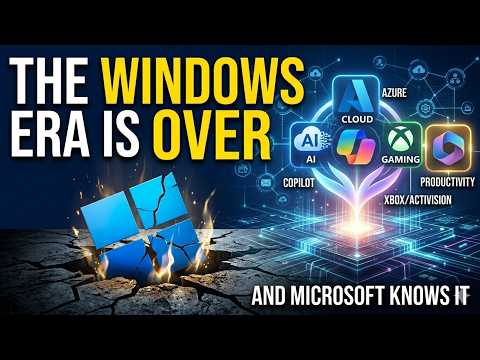
The Shift Beyond Windows: Understanding Microsoft’s New Direction The world of technology is ever-evolving, and one of the most significant shifts in recent years is the move away from traditional desktop operating systems like Windows. Microsoft, the company behind Windows, has been at the forefront of this change, adapting its strategy to meet the new demands of the digital landscape. The Rise of Cloud Computing At the heart of this shift is the rise of cloud computing. Cloud services allow users to store, manage, and process data online, reducing the need for powerful local computers. This change has significant implications for how we work and interact with technology. Microsoft has been investing heavily in its Azure cloud platform, recognizing that the future of computing lies in the cloud. ...

June 27, 2026
Disable these 7 Background Services in Windows to Boost Performance!

Boost Windows Performance by Disabling These 7 Background Services

Introduction to Boosting Windows Performance Windows operating systems are known for their user-friendly interface and versatility, but over time, they can become slow due to various background services consuming system resources. Disabling unnecessary background services can significantly boost your Windows performance, making your computer run faster and more efficiently. What are Background Services? Background services are programs that run in the background of your Windows operating system, performing various tasks such as updating software, scanning for viruses, and managing network connections. While many of these services are essential for the proper functioning of your computer, others may be unnecessary or redundant, consuming valuable system resources. ...

June 26, 2026
Disable these 5 Default Features in Windows that Slow Down Your PC!

Boost Your PC's Speed: 5 Default Windows Features to Disable

Introduction to Optimizing Windows Performance Windows operating systems come with a variety of features designed to enhance user experience, provide additional functionality, and ensure system security. However, some of these default features can consume significant system resources, potentially slowing down your PC. Identifying and disabling these features can significantly improve your computer’s performance. In this guide, we will explore five default Windows features that you might consider disabling to boost your PC’s speed. ...

June 24, 2026