Introduction to Windows Cache
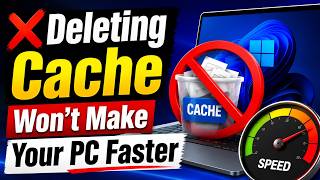
Windows cache is a temporary storage location where Windows stores frequently-used data, such as files, applications, and settings. The purpose of the cache is to improve performance by reducing the time it takes to access and load data. However, many users believe that deleting the Windows cache will speed up their PC. In this article, we will explore the role of Windows cache and why deleting it may not be the best solution.
What is Windows Cache?
Windows cache, also known as the system cache, is a collection of files and data that Windows uses to improve performance. The cache stores temporary data, such as:
- Frequently-used applications and files
- Settings and preferences
- Browser history and cookies
- System files and updates
The cache is stored in various locations on your computer, including the Windows Temp folder, the System32 folder, and the User Profile folder.
How Windows Cache Works
When you open an application or file, Windows checks the cache to see if it has a copy of the data. If it does, Windows uses the cached data instead of loading it from the original location. This can significantly improve performance, especially for frequently-used applications and files.
Why Deleting Windows Cache Won’t Speed Up Your PC
Deleting the Windows cache may seem like a good idea, but it’s not a effective way to improve performance. Here’s why:
- Cache will be rebuilt: When you delete the cache, Windows will simply rebuild it as you use your computer. This means that the cache will be recreated, and you’ll be back to where you started.
- Performance impact: Deleting the cache can actually slow down your computer, at least temporarily. This is because Windows will have to reload data from the original locations, which can take longer than using the cached data.
- Potential issues: Deleting the cache can also cause issues with applications and system files. Some applications may not work properly or may even crash if they can’t find the cached data.
Alternatives to Deleting Windows Cache
Instead of deleting the Windows cache, there are other ways to improve performance:
- Disk cleanup: Use the built-in Disk Cleanup tool to remove temporary files, system files, and other items that you don’t need.
- Update your computer: Make sure your computer is up-to-date with the latest Windows updates and drivers.
- Close unnecessary applications: Close any applications that you’re not using to free up memory and resources.
- Consider upgrading your hardware: If your computer is older or has limited resources, consider upgrading your hardware, such as adding more RAM or replacing your hard drive with a solid-state drive.
Conclusion
In conclusion, deleting the Windows cache is not an effective way to speed up your PC. The cache is an important part of the Windows operating system, and deleting it can actually cause more problems than it solves. Instead, focus on other ways to improve performance, such as disk cleanup, updating your computer, closing unnecessary applications, and considering hardware upgrades.