Introduction to Windows 11 Updates
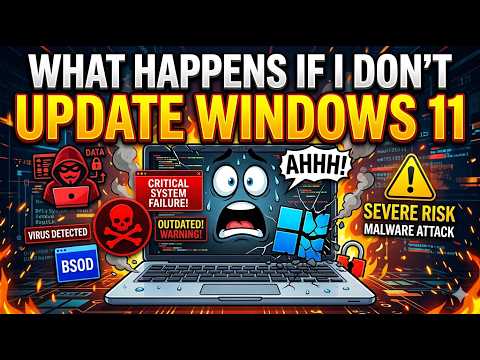
Windows 11, the latest operating system from Microsoft, comes with a plethora of features and security enhancements designed to protect your computer and data. One crucial aspect of maintaining your system’s health and security is keeping it updated. But what happens if you don’t update Windows 11?
Importance of Updates
Updates are essential for any operating system as they provide fixes for known issues, patch security vulnerabilities, and sometimes add new features to enhance user experience. For Windows 11, these updates can range from minor tweaks to major overhauls, all aimed at making your computing experience smoother and safer.
Security Patches
One of the primary reasons to keep your Windows 11 updated is to apply security patches. These patches fix vulnerabilities that could be exploited by malware or hackers, potentially giving them access to your system or data. Without these updates, your system remains vulnerable to known threats, which could lead to data breaches or system compromises.
Bug Fixes
Updates often include bug fixes for issues that users have encountered. These could be anything from minor annoyances, like incorrect display settings, to more significant problems that prevent certain applications from running correctly. By updating your Windows 11, you ensure that your system functions as expected, reducing the likelihood of encountering frustrating bugs.
Feature Updates
Microsoft periodically releases feature updates for Windows 11, which can introduce new functionalities, improve performance, or enhance the overall user experience. These updates might include better integration with other Microsoft services, improved compatibility with newer hardware, or innovative features designed to make your work or leisure activities more enjoyable and efficient.
Consequences of Not Updating
If you choose not to update Windows 11, you expose your system to several risks and drawbacks:
- Security Vulnerabilities: Your system remains open to attacks from malware and hackers, as known vulnerabilities are not patched.
- System Instability: Without bug fixes, your system might become increasingly unstable, leading to crashes, freezes, and other performance issues.
- Lack of New Features: You miss out on new features and functionalities that could enhance your computing experience.
- Compatibility Issues: As new software and hardware are developed, an outdated Windows 11 might struggle with compatibility, leading to difficulties in installing or running newer applications or devices.
- Support Issues: Eventually, Microsoft may end support for outdated versions of Windows 11, meaning you won’t receive any further updates, including critical security patches, leaving your system completely vulnerable.
How to Update Windows 11
Updating Windows 11 is a straightforward process:
- Go to Settings.
- Click on Update & Security.
- Select Windows Update.
- Click on Check for updates.
- If updates are available, you can choose to download and install them.
Setting Up Automatic Updates
To ensure your system always has the latest updates, you can enable automatic updates:
- Follow the steps above to Windows Update.
- Under Update options, you can choose how updates are installed, including enabling automatic updates.
Conclusion
Updating Windows 11 is crucial for maintaining system security, stability, and ensuring you have access to the latest features. By keeping your operating system up to date, you protect your data, ensure compatibility with the latest software and hardware, and enjoy a smoother, more efficient computing experience. It’s a simple step that significantly enhances your overall computing experience and protects against potential threats.