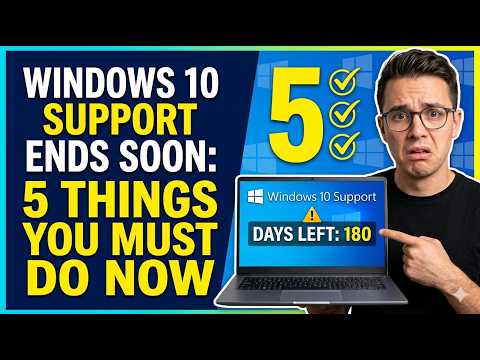
Windows 10 Support Ends Soon: 5 Things You Must Do Now
Microsoft has announced that Windows 10 support will be ending soon. This means that the company will no longer provide security updates, bug fixes, or technical support for the operating system. If you are still using Windows 10, it is essential to take action now to ensure that your device remains secure and functional.
Check Your Computer’s Eligibility for a Free Upgrade
Before we dive into the steps you must take, it’s crucial to check if your computer is eligible for a free upgrade to Windows 11. To do this:
- Go to the Microsoft website and download the PC Health Check app
- Run the app and follow the prompts to check your computer’s compatibility with Windows 11
- If your computer is eligible, you can proceed with the upgrade
Backup Your Important Files
Losing important files can be devastating, especially if you have not backed them up in a while. To avoid this:
- Connect an external hard drive to your computer
- Use the built-in backup tool in Windows 10 to backup your files
- Alternatively, you can use a cloud backup service like OneDrive or Google Drive
Update Your Operating System
If your computer is not eligible for a free upgrade to Windows 11, you may still be able to update your operating system to the latest version of Windows 10. To do this:
- Go to the Settings app on your computer
- Click on Update & Security
- Click on Check for updates
- Install any available updates
Consider Upgrading to a New Computer
If your computer is old and not eligible for a free upgrade to Windows 11, it may be time to consider upgrading to a new computer. This will not only ensure that you have a supported operating system but also provide you with a faster and more secure device.
Explore Alternative Options
If you are not ready to upgrade to a new computer or operating system, you may want to explore alternative options. For example:
- You can use a Linux distribution like Ubuntu or Linux Mint
- You can use a Chromebook or other device that runs on Google’s Chrome OS
- You can use a virtual machine to run a supported operating system on your current device
Conclusion
Windows 10 support ending soon is a significant concern for many users. However, by taking the necessary steps, you can ensure that your device remains secure and functional. Remember to check your computer’s eligibility for a free upgrade, backup your important files, update your operating system, consider upgrading to a new computer, and explore alternative options. By doing so, you can avoid any potential risks and continue to use your device with confidence.